Troubleshooting Toolkit
Starting at$999.00/yr
Essentials$999.00/yr
Select$1,299.00/yr
Prime$1,499.00/yr
Enterprise$1,999.00/yr
as determined by your Acumatica license
Releases
26 R2
26 R1
25 R2
UI
Modern
A set of admin tools for the jobs Acumatica’s UI doesn’t cover — browsing the server, loading data straight into tables, and querying the database — all from one Modern UI screen. No RDP session or SQL Server Management Studio access required, which makes it just as handy for a partner supporting a customer’s instance as for the admin who runs it.
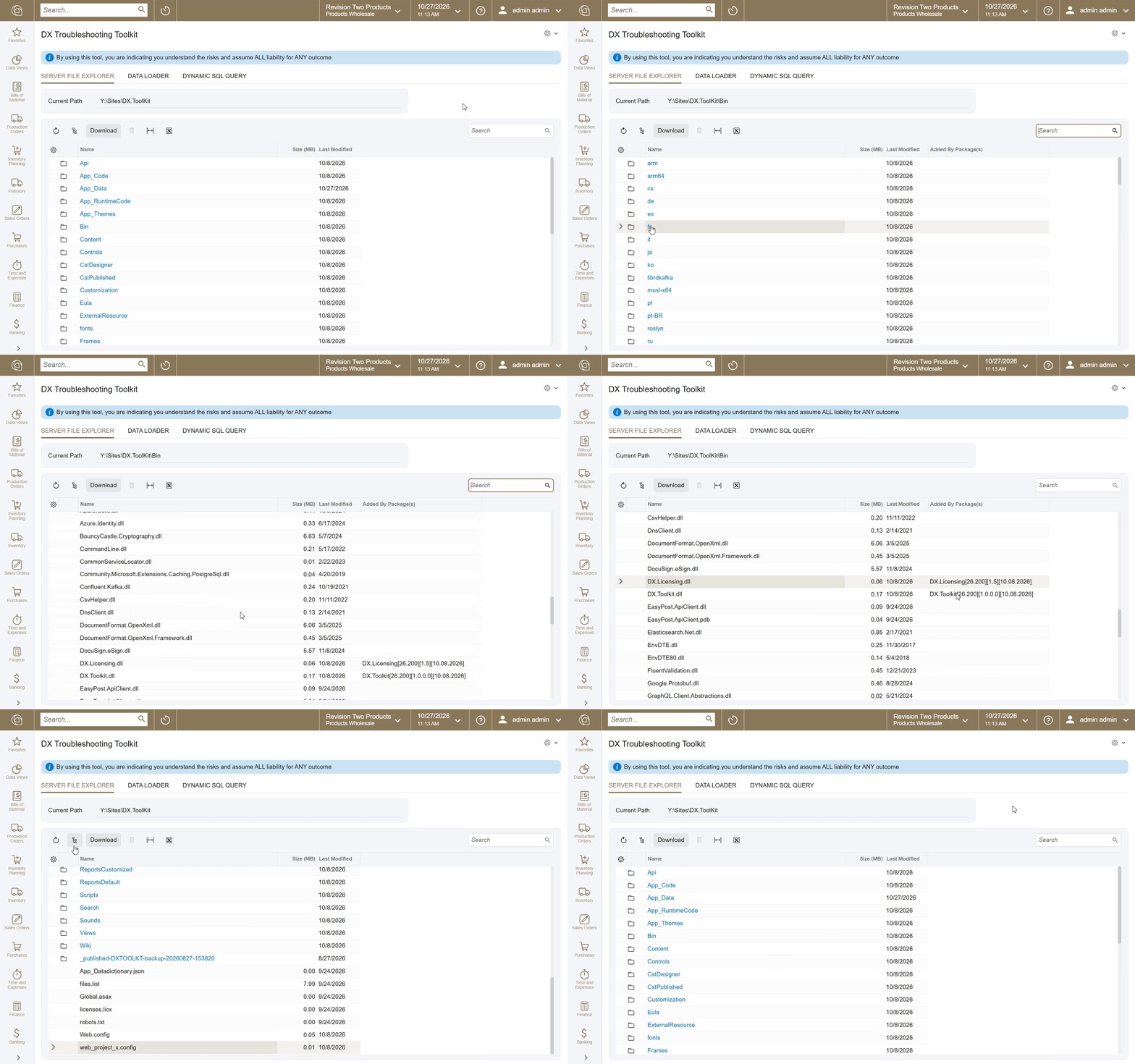
Server File Explorer
- Browse the site’s folders and files from the browser
- See which customization package(s) added each file (e.g. *.dll files in
\bin) - Download files (up to 100 MB)
- Deleting is limited to the Toolkit’s own working folder, so nothing else on the server can be removed
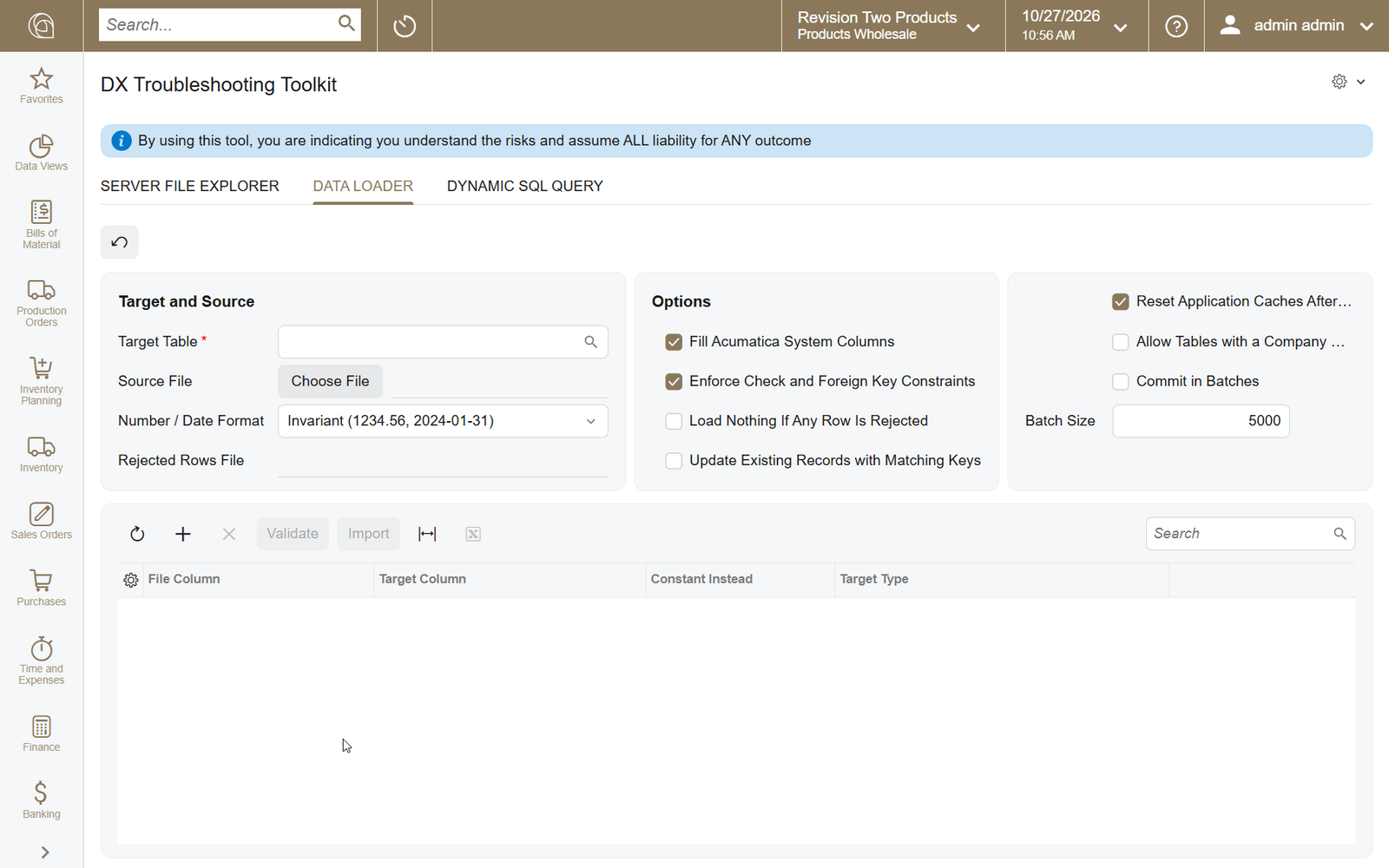
Data Loader
- Import a CSV or Excel (XLSX) file directly into any database table
- Map file columns to table columns, or fill a column with a constant value
- Validate before importing — Import stays disabled until validation passes
- Bad rows are rejected individually and written to a downloadable file with their original line numbers
- Optionally update existing records with matching keys — created-by info and NoteIDs are preserved, so notes, attachments, and activities stay attached
- Optionally fill Acumatica system columns (CompanyID, created/modified audit fields, NoteID)
- Choose all-or-nothing or load-what-passes, commit in batches, enforce constraints, and reset application caches afterward
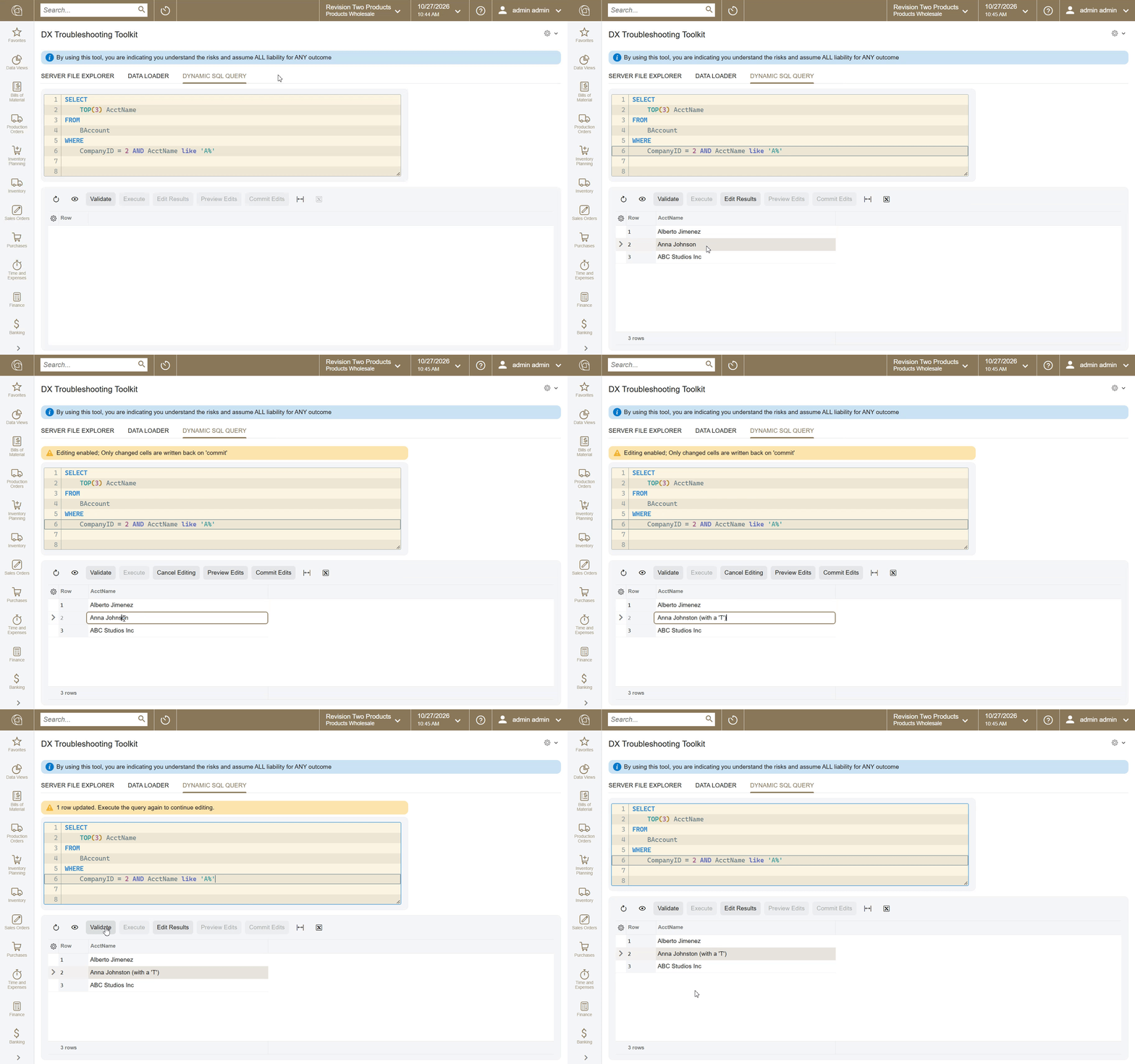
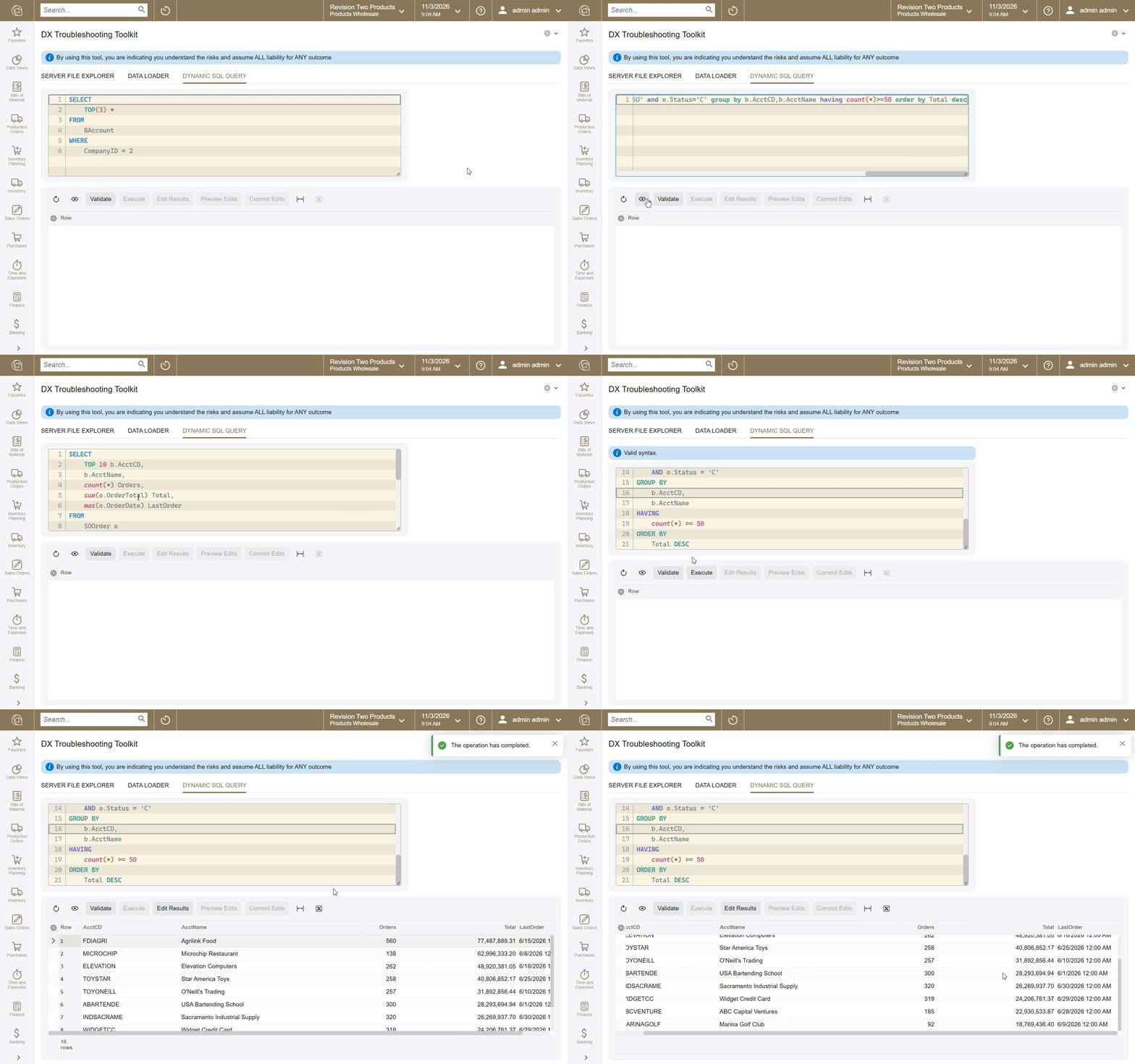
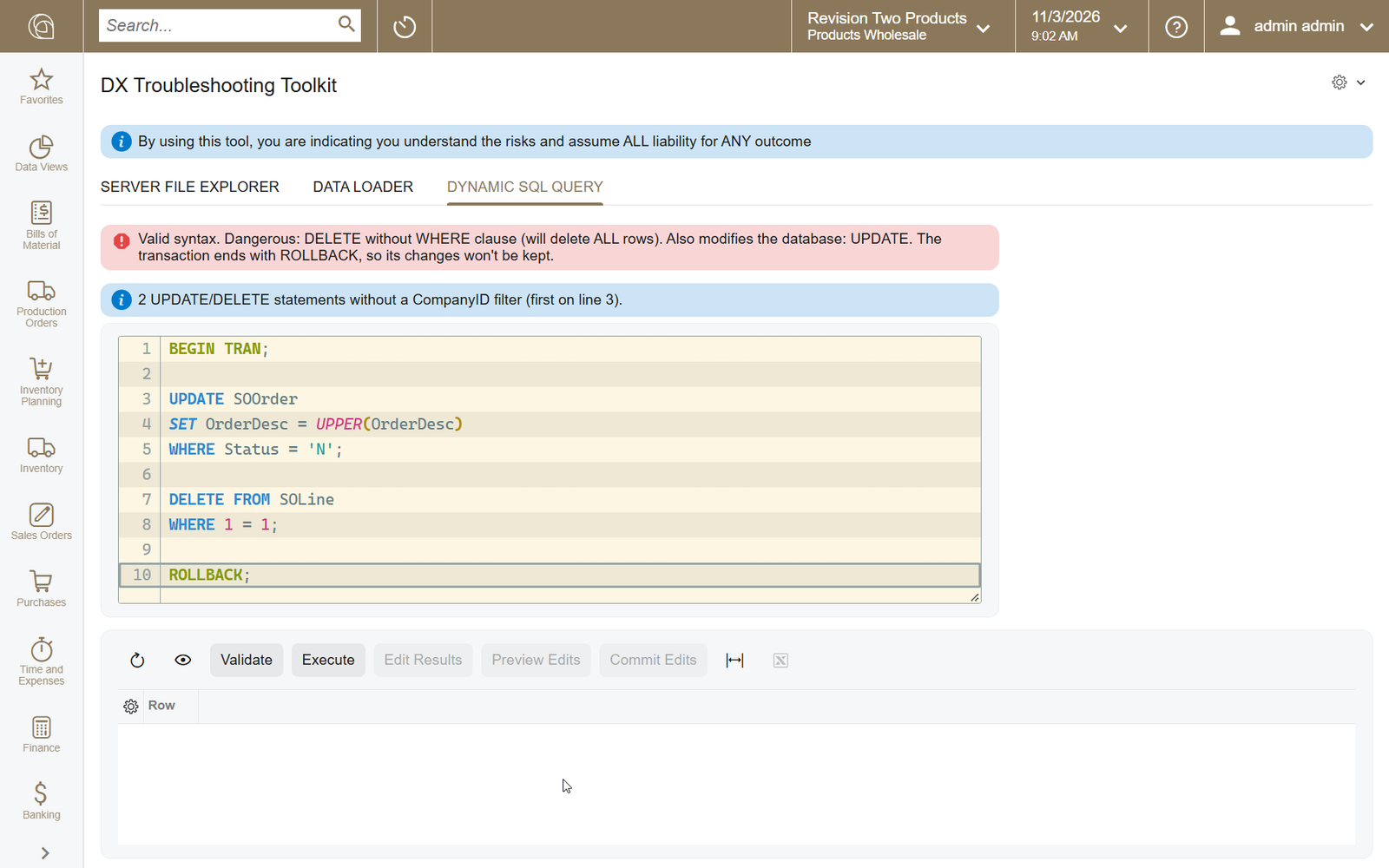
Dynamic SQL Query
- SQL editor with syntax highlighting and one-click formatting
- Every query is syntax-checked and risk-rated before it can run; destructive statements require explicit confirmation, and every execution is logged with the user’s name
- Edit results right in the grid and write them back, with a preview of each change and the generated UPDATE statement before committing
- Write-back is only offered for single-table results with a primary key, and runs as one transaction — if any row has changed since it was read, the whole batch rolls back
- Hidden by default so it isn’t stumbled onto — ask me how to enable it
Effort to install / configure: ●◌◌◌◌
A power tool: The guardrails above reduce the chance of a mistake, but they don’t replace a backup. The screen carries a standing notice that by using it you accept the risks and all liability for the outcome — try it in a sandbox first.
Tenant visibility: Dynamic SQL Query and the Data Loader talk to the database directly, which bypasses Acumatica’s tenant isolation. Anyone with access to this screen in one tenant can use the query to see — and change — data in every other tenant on the same instance, and the Data Loader to load rows into any of them. Grant access to this screen accordingly.
Licensed per Acumatica instance and tenant.
Tenant visibility: Dynamic SQL Query and the Data Loader talk to the database directly, which bypasses Acumatica’s tenant isolation. Anyone with access to this screen in one tenant can use the query to see — and change — data in every other tenant on the same instance, and the Data Loader to load rows into any of them. Grant access to this screen accordingly.
Licensed per Acumatica instance and tenant.